A glaze recipe calculator scales a percentage recipe to the batch size you want to mix. Each material’s weight is its percentage of the base times the batch weight, so 25% of a 1,000 g batch is 250 g. Colourants and opacifiers are usually added on top of a base that adds up to 100. This tool does the maths and prints a batch sheet, but it does not judge whether a glaze is safe or will fit your clay.
Glaze Recipe Calculator: Scale Any Glaze Batch
This glaze recipe calculator takes the percentages from a recipe and turns them into the weights you put on the scale. Type each material and its amount, choose how big a batch you want, and it gives you a batch sheet to print and tick off as you weigh.
It doesn’t come with any recipes. Use one from your teacher, a book or a published source you trust, and test it before you rely on it.
Your batch sheet
Type your recipe’s materials and percentages above, and the weights to measure for a 1,000 g batch will appear here, ready to print.
This tool only scales weights. It does not assess glaze safety, durability, food safety or fit. Test every glaze on tiles on your own clay, follow the glaze developer’s data and wear a P2 or P3 respirator when weighing dry materials.
This tool at a glance
- What it does
- Scales a percentage glaze recipe to the batch size you want and gives a printable batch sheet.
- Inputs
- The dry batch weight, up to 10 base materials with their percentages, and up to 4 additions such as colourants or opacifiers.
- Method
- Each material’s weight is its percentage divided by the base total, times the batch weight, so the base always weighs the batch weight. Additions use the same grams per percent and go on top. A base that doesn’t add up to 100% is flagged.
- Outputs
- A batch sheet with each material’s percentage and weight, the base total, additions and the grand total, plus any warnings.
Glaze recipe calculator: what 1% weighs at each batch size
In a percentage recipe, every 1% of the base is one hundredth of the dry batch weight. This table shows what 1% and 10% weigh at common batch sizes, with the kind of job each size suits (our studio judgement).
| Dry batch | 1% weighs | 10% weighs | Good for | |
|---|---|---|---|---|
| 100 g | 1 g | 10 g | A test batch for a few tiles | |
| 500 g | 5 g | 50 g | Brushing a handful of pieces | |
| 1 kg | 10 g | 100 g | A small dipping or pouring batch | |
| 5 kg | 50 g | 500 g | A bucket for dipping mugs and bowls | |
| 10 kg | 100 g | 1000 g | A large bucket for regular studio use |
How the glaze recipe calculator works
Glaze recipes are written as percentages of dry material, so they work at any size. The calculator divides each material’s percentage by the total of the base and multiplies by the dry batch weight you choose. If the base adds up to 100, that’s the same as taking the percentage of the batch weight: 40% of 1,000 g is 400 g.
Additions, such as colourants, opacifiers and suspenders, are worked out with the same grams per percent and added on top. So a 1,000 g batch with a 2% colourant addition needs 20 g of colourant, and the whole batch weighs 1,020 g. This is the usual way recipes are written: the base adds up to 100, and the additions take the total above it.
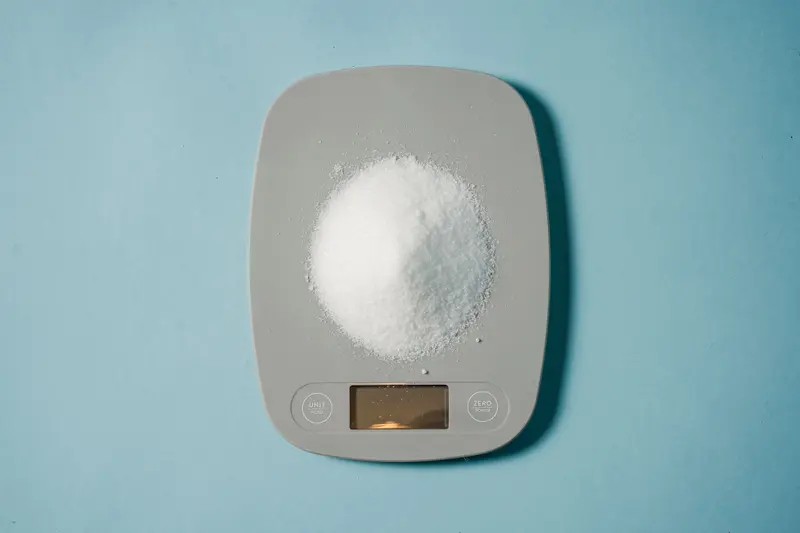
Weights are shown to a tenth of a gram, or a hundredth of an ounce, which matches what a good digital scale reads. For small test batches, a scale that reads to 0.1 g makes a real difference with colourants measured in single grams.
What if the glaze recipe doesn’t add up to 100?
Many published recipes don’t add up to exactly 100, especially older ones or ones where the additions have been mixed into the base list. The calculator flags any base that’s off by more than a twentieth of a percent and tells you the total.
It then scales the base so it still weighs the batch weight you asked for, keeping the proportions between materials the same. That’s usually what you want, but a total of 98 or 103 can also mean a material is missing or mistyped, so check the recipe against its source before you weigh anything. Digitalfire notes that recipes can be retotalled either on the base alone or on the full recipe, so if you’re comparing your batch with someone else’s, check which way they did it.
The calculator also warns you about materials listed twice, rows with a name but no amount, and amounts with no name, which are the typos that most often spoil a batch.
Material names are free text, so you can type them exactly as your recipe or supplier lists them. Up to ten base materials and four additions fit, which covers almost every studio glaze. If a recipe has more, combine minor materials with the same supplier name or split it into two batches.
Choosing a glaze batch size
Start small. A 100 g test batch is enough to dip or brush several test tiles, and every 1% of the recipe weighs a single gram, so it’s easy to check your sums. Once a glaze passes its tests on your clay and in your kiln, scale up to a bucket.
For dipping, you need enough glaze to submerge your largest piece, which for mugs and bowls usually means several kilograms of dry material once water is added. Brushing glazes go further, so a few hundred grams can cover a handful of pieces. The table above shows what 1% and 10% weigh at common batch sizes.
Water isn’t part of the recipe. You add it after weighing, a little at a time, until the glaze reaches the thickness you want, often checked with a hydrometer or by its specific gravity. Write down how much you added so the next batch matches.
Scaling up also scales mistakes. A material that was half a gram out in a 100 g test becomes 50 g out in a 10 kg bucket, so double-check the recipe before a big batch and weigh the small additions with particular care. If a large batch comes out differently from your tests, the first things to check are the water content, the thickness of application and whether any material came from a new bag or a different supplier, because raw materials can vary from batch to batch.
Glaze safety: what this calculator can’t tell you
This tool only does arithmetic. It can’t tell you whether a glaze is food safe, whether it will craze or shiver on your clay, whether it will run off the pot, or whether it contains materials that need special handling. Those depend on the chemistry of the recipe, your clay, your kiln and your firing.
Before using any glaze on functional ware, test it on tiles made from your clay and fired in your kiln, and check the recipe developer’s data for its firing range and any food-safety testing. Our article on food-safe glaze explains why a glaze that looks fine can still be unsuitable for food, and our pottery fault finder covers crazing, crawling and running.
Weighing dry glaze materials also releases fine dust, much of it containing crystalline silica, which can cause serious lung disease. Wear a well-fitted P2 or P3 respirator, weigh where dust won’t spread, and clean up wet rather than sweeping.
Printing and using the glaze batch sheet
When your recipe is in, press Print and the batch sheet prints on its own, without the form. Each material has a tick box, so you can mark it off as it goes into the bucket. It’s the simplest way to avoid adding a material twice or missing one.

Weigh each material into a separate container first, then combine them, so a mistake can be fixed before it’s mixed in. Keep the printed sheet with the bucket, labelled with the date and batch size, and note any changes you make. The share link saves your recipe in the address, so you can bookmark it or send it to a studio friend.
Glaze recipes and ready-made glazes
Mixing your own glaze from raw materials gives you control and is often cheaper for large quantities, but it takes time, testing and careful dust control. Ready-made glazes from brands like Amaco and Mayco are tested by their makers and come with firing and food-safety information, which is why many studios use them.
If you’re using commercial glazes, our glaze brand chart library shows the combinations the makers publish. And whichever you use, the firing matters as much as the recipe: our kiln firing service fires glazed work to the cone it’s made for.
Frequently asked questions
How do I convert a glaze recipe to grams?
Multiply each percentage by the dry batch weight and divide by 100. For a 1,000 g batch, a material at 25% weighs 250 g. The calculator does this for every row and adds up the totals.
Should a glaze recipe add up to 100?
The base usually does, with colourants and opacifiers added on top as extra percentages. If your base doesn’t add up to 100, the calculator flags it and scales it, but check the recipe for a missing or mistyped material.
Does the batch weight include water?
No. Recipes are dry weights. Weigh the dry materials, then add water gradually until the glaze reaches the consistency you want.
Can this calculator tell me if a glaze is food safe?
No. It only scales weights. Food safety depends on the glaze chemistry, how it fits your clay and how it’s fired, so test the glaze and check the developer’s data before using it on tableware.
Why are there no recipes in the calculator?
Because we only publish recipes when their source and licence are clear, and every recipe needs testing on your own clay. Use a recipe from a source you trust and type it in.
Can I buy glaze materials at Le Studio Art Space?
Yes. Le Studio Art Space’s ceramic studio in Mordialloc sells clay, glazes and raw materials on site. Ask the studio what’s in stock before you plan a batch.
Sources and method
The convention that a recipe’s base adds up to 100 with colourants and opacifiers added on top, and the method for scaling additions from the batch weight, follow Digitalfire’s batch recipe glossary entry, Clay-King’s guide to reading a glaze formula and long-standing advice on the Ceramic Arts Daily community forum. Digitalfire also notes that recipes can be retotalled on the base or the full recipe. Silica dust guidance is from WorkSafe Victoria and SafeWork NSW.
The batch size suggestions are our own studio judgement. The calculator contains no recipes and makes no claim about the safety, durability or fit of any glaze.
Figures last checked .
Use this tool on your site
You’re welcome to embed the glaze batch calculator on your own site, studio page or class notes. Copy the code below. Please keep the credit link, it’s how other potters find the full version.
Cite this tool
Le Studio Art Space (2026). Glaze Batch Calculator. The Potter’s Bench. https://lestudioartspace.com/potters-bench/glaze-batch-calculator/ (accessed 28 October 2026).
This glaze batch calculator from Le Studio Art Space is general educational content. Results are estimates: firing results vary from kiln to kiln and with your clay, glaze, cone placement and firing schedule. Always follow the clay and glaze manufacturer’s data, and for glaze and food safety decisions follow the manufacturer’s guidance and local regulations.